

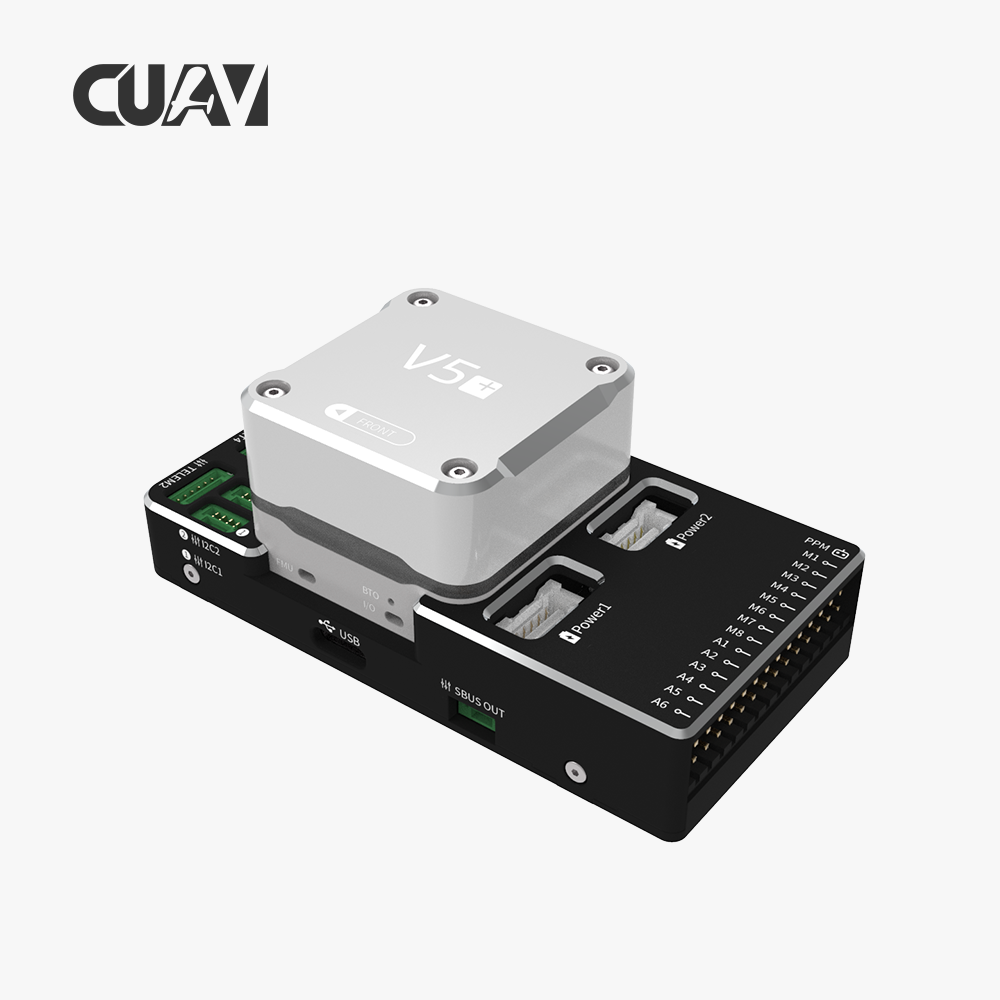
The CUAV V5+ flight controller is one of the most popular open-source autopilots on the market, co-designed by CUAV and the PX4 team. Built to the FMUv5 standard, it packs an STM32F765 processor, dual CAN buses, and abundant serial ports — making it an ideal platform for high-precision GNSS integration. But pairing a V5+ with a Septentrio-powered RTK receiver requires more than just plugging in a cable. You need the right wiring, the correct firmware parameters, and an understanding of how the V5+ serial port mapping works.
In this guide, we walk through the complete process of integrating a Septentrio mosaic-X5 or mosaic-G5 based GNSS receiver — such as the HB21 GNSS Box Receiver or HB6 GNSS Box Receiver — with the CUAV V5+ autopilot running ArduPilot or PX4. Whether you are building a custom mapping drone, a heavy-lift inspection UAV, or an autonomous rover, this guide gives you the wiring diagrams, parameter tables, and troubleshooting steps you need.
Understanding the CUAV V5+ Serial Port Layout for GNSS
Before wiring anything, you need to understand how the V5+ assigns its serial ports. Unlike some Pixhawk variants where the GPS port maps to a fixed UART, the V5+ uses a flexible architecture that requires explicit parameter configuration regardless of which firmware you run.
V5+ UART Mapping (Default)
| UART | Device | Physical Port | Default Function |
|---|---|---|---|
| UART1 | /dev/ttyS0 | GPS1 (10-pin GPS&SAFETY) | Primary GPS input |
| USART2 | /dev/ttyS1 | TELEM1 | Telemetry radio |
| USART3 | /dev/ttyS2 | TELEM2 | Secondary telemetry |
| UART4 | /dev/ttyS3 | UART4 (6-pin) | Auxiliary serial data |
| USART6 | /dev/ttyS4 | SBUS_RC | RC receiver input |
| UART7 | /dev/ttyS5 | DSU7 (Debug) | Debug console (PX4) / General serial (ArduPilot) |
For most Septentrio GNSS integrations, the GPS1 port (UART1 / ttyS0) is the natural choice. However, the V5+ also exposes a dedicated UART4 port that can serve as a secondary GNSS input for dual-receiver setups or moving-base heading configurations.
CUAV V5+ Key Specifications
| Specification | Details |
|---|---|
| Processor | STM32F765 (ARM Cortex-M7, 216 MHz) |
| RAM | 512 KB |
| Flash | 2 MB |
| Serial Ports | 5 general-purpose UARTs |
| CAN Bus | Dual CAN (supporting UAVCAN/CAN GPS) |
| I2C | 4 ports for external compass, barometer |
| Power Input | 4.75–5.25V USB, 3–5S LiPo via POWER1 |
| GPS Connector | 10-pin JST GH (GPS + safety switch + buzzer) |
The V5+ also features a built-in vibration dampening system and dual-redundant IMUs, making it well-suited for vibration-prone platforms like heavy-lift octocopters and high-speed mapping drones — exactly the kind of UAV that benefits most from a Septentrio RTK receiver upgrade.
Wiring the Septentrio GNSS Receiver to CUAV V5+
Septentrio-powered receivers such as the HB21 or HB6 use a standard 6-pin JST GH connector for serial communication. The required pins are 5V power, ground, TX (receiver output to flight controller RX), and RX (flight controller TX to receiver input). Some receivers also expose a secondary UART for external GNSS data or an I2C interface for compass passthrough.
Basic Wiring Diagram (Single GNSS, GPS1 Port)
| Septentrio Receiver (6-pin) | CUAV V5+ GPS1 Port (10-pin) | Notes |
|---|---|---|
| 5V (Pin 1) | 5V (Pin 5) | Power — ensure receiver draws under 500 mA |
| GND (Pin 6) | GND (Pin 6) | Common ground |
| TX (Pin 3) | RX (Pin 3, GPS_RX) | Receiver transmits GNSS data to FC |
| RX (Pin 4) | TX (Pin 4, GPS_TX) | FC sends RTCM corrections to receiver |
| SDA (Pin 2) | SDA (Pin 8) | Optional compass/I2C passthrough |
| SCL (Pin 5) | SCL (Pin 9) | Optional compass/I2C passthrough |
If your Septentrio receiver has a separate UART connector (e.g., the HB21 auxiliary port), you can wire it to the UART4 (6-pin) port on the V5+ as a secondary serial input. This is useful for dual-GNSS heading or for feeding RTCM corrections through a separate telemetry radio.
Alternative Connection via UART4 (Secondary GNSS)
| Septentrio Receiver (4-pin AUX) | CUAV V5+ UART4 (6-pin) | Note |
|---|---|---|
| 5V | 5V (Pin 5) | Power from V5+ |
| GND | GND (Pin 6) | Ground |
| TX | RX (Pin 3, UART4_RX) | Receiver to FC |
| RX | TX (Pin 4, UART4_TX) | FC to Receiver |
Important: The CUAV V5+ GPS1 port includes a safety switch and buzzer. If you are using the Septentrio receiver as the primary GNSS and not using the Neo v2 GPS, you must connect an external safety switch to the GPS1 port or disable the safety switch in firmware (by setting BRD_SAFETYENABLE = 0 in ArduPilot or the parameter in PX4).
ArduPilot Configuration for Septentrio on CUAV V5+
Once the wiring is correct, the next step is configuring ArduPilot parameters. The V5+ runs the CUAVv5Plus board firmware. Flash it with the latest ArduCopter or ArduPlane build, then connect via Mission Planner or MAVProxy.
Basic GPS Configuration
| Parameter | Value | Description |
|---|---|---|
| SERIAL1_PROTOCOL | 5 | GPS protocol on GPS1 (UART1) |
| SERIAL1_BAUD | 230 | 230400 baud (supports 10+ Hz RTK) |
| GPS_TYPE | 1 | AUTO — auto-detects NMEA/UBX/SBF |
| GPS_AUTO_CONFIG | 1 | Enable automatic receiver configuration |
| GPS_GNSS_MODE | 6 | All constellations (GPS+GLONASS+BeiDou+Galileo) |
| GPS_SAVE_CFG | 1 | Save configuration to receiver flash |
For the CUAV V5+, UART1 maps to SERIAL1. If you connect the Septentrio receiver to the UART4 port instead, use SERIAL4_PROTOCOL = 5 and SERIAL4_BAUD = 230, then set GPS_TYPE2 = 1 for the secondary receiver.
Dual-Antenna Heading Configuration
If your Septentrio receiver supports dual-antenna heading (e.g., the HB21 with dual GNSS antennas), enable the Septentrio heading driver:
| Parameter | Value | Note |
|---|---|---|
| GPS_TYPE2 | 9 | Septentrio heading receiver on second GPS |
| SERIAL4_PROTOCOL | 5 | GPS protocol on UART4 |
| SERIAL4_BAUD | 230 | 230400 baud minimum |
| EK3_SRC1_YAW | 3 | Use external yaw (GNSS heading) |
| COMPASS_USE | 0 | Disable magnetometer (recommended) |
When using GNSS heading, mount the two antennas along the vehicle longitudinal axis with at least 50 cm separation. Connect the primary receiver to GPS1 and the heading-capable Septentrio receiver to UART4.
PX4 Configuration for Septentrio on CUAV V5+
PX4 has native Septentrio driver support since v1.15. The V5+ firmware target is px4fmu-v5_default. Flash the latest stable release via QGroundControl, then configure the parameters below.
Primary GNSS Parameters (Septentrio on GPS1)
| Parameter | Value | Description |
|---|---|---|
| SEP_PORT1_CFG | GPS 1 | Main Septentrio receiver connected to GPS1 |
| SEP_PORT1_BAUD | 460800 | Baud rate for RTK data throughput |
| GPS_1_CONFIG | GPS 1 | Map GPS1 port to PX4 GPS driver |
| GPS_1_GNSS | 6 | Enable all constellations |
| GPS_1_PROTOCOL | 1 | UBX binary protocol |
The Septentrio driver in PX4 supports automatic baud rate detection. If you leave SEP_PORT1_BAUD unset, the driver will detect the receivers current baud rate and use it. Setting it explicitly forces the receiver to that rate, which is recommended for consistency.
Dual-Antenna Heading in PX4
| Parameter | Value | Note |
|---|---|---|
| SEP_PORT1_CFG | GPS 1 | Heading-capable Septentrio on GPS1 |
| SEP_PORT2_CFG | UART 4 | Second receiver or auxiliary data |
| EKF2_HDG_REF | 3 | Use GNSS heading reference |
| GPS_YAW_OFFSET | 0 | Angle offset: antenna baseline to vehicle forward |
PX4s Septentrio driver automatically detects heading-capable receivers. The heading data is published via the vehicle_attitude topic and used by the EKF2 estimator. You can monitor heading quality in the MAVLink console or via the QGC Septentrio status widget.
Compatibility Matrix: CUAV V5+ and Septentrio Products
| Product | Septentrio Module | V5+ Port | RTK | Heading | ArduPilot | PX4 |
|---|---|---|---|---|---|---|
| HB21 GNSS Box Receiver | Mosaic-X5 | GPS1 or UART4 | ✓ | ✓ (dual-ant) | v4.4+ | v1.15+ |
| HB6 GNSS Box Receiver | Mosaic-X5 | GPS1 or UART4 | ✓ | ✓ | v4.4+ | v1.15+ |
| EV322 GNSS Receiver | Mosaic-G5 | GPS1 | ✓ | ✗ | v4.3+ | v1.14+ |
| mosaic-G5 P3 module (OEM) | Mosaic-G5 | GPS1 | ✓ | ✗ | v4.3+ | v1.14+ |
| mosaic-X5 module (OEM) | Mosaic-X5 | GPS1/UART4 | ✓ | ✓ | v4.4+ | v1.15+ |
All products work seamlessly with the CUAV V5+ over standard UART. For dual-antenna heading with the HB21, use the UART4 port for the second serial connection or wire both antennas directly to the receivers RF inputs.
Performance Benchmarks: Septentrio on CUAV V5+
In practical field tests, the CUAV V5+ paired with a Septentrio mosaic-X5 receiver delivers the following performance:
| Metric | Value |
|---|---|
| RTK convergence time | Less than 10 seconds (fixed baseline < 30 km) |
| Horizontal accuracy (RTK fixed) | 0.6 cm + 0.5 ppm |
| Vertical accuracy (RTK fixed) | 1.0 cm + 1 ppm |
| Update rate | 10 Hz standard, up to 100 Hz with SBF binary output |
| Time to first fix (cold start) | Less than 45 seconds |
| Heading accuracy (dual antenna) | 0.07° at 1 m baseline, 0.18° at 0.5 m baseline |
These figures assume a clear sky view with a multi-frequency GNSS antenna and RTCM corrections delivered via NTRIP or base station radio link. The V5+ serial buffer handles the 460800 baud data stream without frame drops — confirmed in 30-minute continuous logging sessions with the HB21 receiver.
Related GNSS Products
- HB21 GNSS Box Receiver — All-in-one RTK receiver with 4G LTE, heading, and data logging
- HB6 GNSS Box Receiver — Compact RTK receiver powered by Septentrio Mosaic X5
- EV322 GNSS Receiver — Lightweight RTK receiver for UAVs and autonomous systems
- AIM+ Anti-Jamming Technology — advanced interference and spoofing protection
Browse our full GNSS receiver collection for professional UAV applications.
Frequently Asked Questions
1. Can the CUAV V5+ power a Septentrio mosaic-X5 receiver directly from the GPS port?
Yes. The V5+ GPS1 port provides a regulated 5V output rated for up to 500 mA. The Septentrio mosaic-X5 draws approximately 0.6 W (120 mA at 5V), well within this limit. However, if you are using a receiver with a 4G LTE modem (like the HB21) or powering an external GNSS antenna amplifier, use an external BEC to avoid overloading the flight controller regulator.
2. Does the CUAV V5+ support the Septentrio SBF binary protocol?
Yes, through ArduPilot firmware with GPS_TYPE set to 10 (Septentrio Binary Format) or through PX4 firmware with the native Septentrio driver (SEP_PORT1_CFG). SBF provides the lowest latency and highest update rates (up to 100 Hz), making it the preferred format for demanding applications like high-speed mapping and dynamic positioning.
3. What baud rate should I use between the CUAV V5+ and the Septentrio receiver?
For standard 5-10 Hz NMEA output, 115200 baud suffices. For RTK operation at 10+ Hz with SBF binary output, 230400 baud is the minimum recommended. For dual-antenna heading or high-update-rate applications, use 460800 or 921600 baud. Both PX4 v1.15+ and ArduPilot v4.4+ support automatic baud detection.
4. Can I use the CUAV V5+ CAN bus to connect a Septentrio receiver?
Septentrio mosaic modules do not natively output DroneCAN. To use CAN, you need a serial-to-CAN adapter board (such as a UAVCAN GPS module with passthrough). The native UART connection to the GPS1 or UART4 port is simpler and fully sufficient for all RTK and heading use cases.
5. Does integrating a Septentrio receiver void the CUAV V5+ warranty?
No. The CUAV V5+ is designed with standardized Pixhawk connectors and open interfaces. Connecting a third-party GNSS receiver via the GPS1 or UART4 port is a supported use case and does not void the warranty. However, damage caused by incorrect wiring would not be covered.